After uploading the original PDF to create your digital publication, you may realize that there are layout mistakes or typos that were made during the production of the PDF.
Thankfully, it is quite simple to replace the original PDF with a new amended file.
Moreover, any overlays or content added via the Overlay Editor will be retained when a new PDF file is uploaded.
However, to ensure that the file overwrites it MUST conform to the following criteria:
- Exact same file name
-
Exact same number of pages
To check the file name and page count, we would advise navigating to the Files menu and downloading the PDF that you wish to replace and ensure that you see the exact same file name and number of pages when viewing the PDF offline (remember, deleting pages on YUDU Publisher® does not remove them from the PDF).
Tip - to quickly filter out PDF files from the list should you have multimedia and other content uploaded, click .pdf from the menu just above your files.
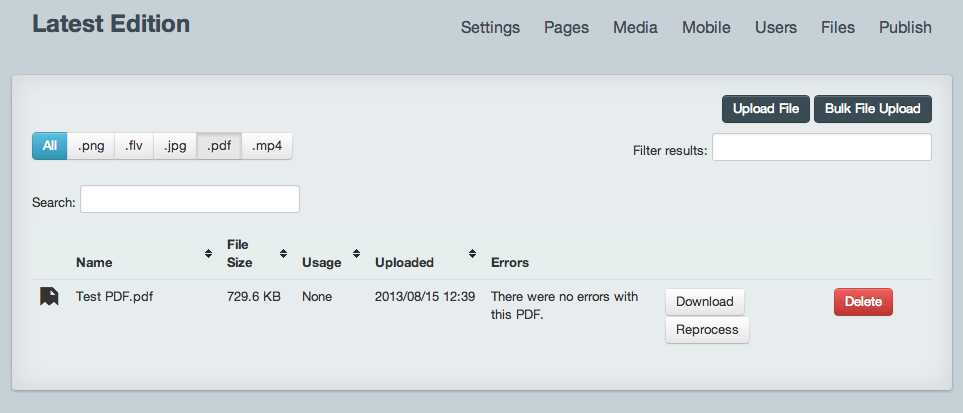
Once satisfied that the criteria above have been met, simply click Upload File in the top right and upload your amended PDF - this will process and overwrite the original upon completion.
We recommend that you generate a new preview to fully confirm that the overwrite has worked and you are happy with the amendments.
 .
.